Jugar
Impulsado por EmulatorJS · Arcade
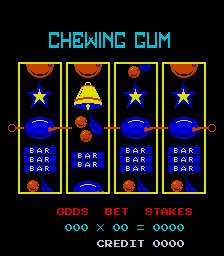
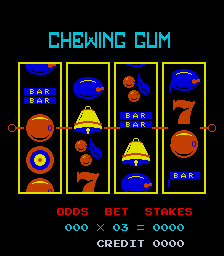
Girar los carretes en esta máquina tragamonedas de video, una copia pirata de Lucky Today, permite a los jugadores intentar hacer coincidir símbolos para obtener pagos. Como título de juegos de azar basado en arcade, la jugabilidad se centra en los resultados aleatorios de las rotaciones de los carretes para determinar ganancias o pérdidas.
Player layout in our catalog: 1P.
If you are exploring by feel rather than by title, jump from the tags above into the matching genre rooms, or return to the Arcade hall for the full wall.
Open Play on this page to start Chewing Gum. Keyboard, USB/Bluetooth pads, and the on-screen touch gamepad all work inside the emulator bar. Save states and fullscreen live on that same bar so you can pause mid-session and resume later.
Player layout on this cabinet: 1P.
Genre tags on Classic Arcade Games: Slot Machine.
Credit line lists <unknown> as developer.
Nearby cabinets you may also open from this hall (each on its own play page):Champion Super 3 (V0.35), New Lucky 8 Lines / New Super 8 Lines (W-4), Reel'N Quake! (Version 1.05), Bonne Chance! (French/English), Brasil 86, Brasil 87, Brasil 93, Buena Suerte (Spanish, set 1), Dynamic Dice, Fruit Land, Good (Korea), Inca
Champion Super 3 (V0.35) · New Lucky 8 Lines / New Super 8 Lines (W-4) · Reel'N Quake! (Version 1.05) · 3 Bags Full (5VXFC790, Victoria) · Animal Bonus Nudge (Version 2.1 Dual) · Animal Bonus (Version 1.8E Dual) · Animal Treasure Hunt (Version 1.9R, set 1) · Arctic Wins (4XF5227H03, USA) · Around The World (Version 1.4R CGA) · Autumn Moon (1VXFC5488, New Zealand) · Bad Dog Poker (0200428V, NSW/ACT) · Barline (Japan?)
<unknown> appears on this cabinet’s credit line. Browse more titles from the same studio on the developer shelf, or stay on this page and try the next cabinets in the same hall.
Yes. Classic Arcade Games hosts Chewing Gum as a Arcade cabinet you can start on this page. The emulator loads in the browser; you do not need to install a separate app.
Arcade stick feel: Arrow keys for the joystick, X/Z (and nearby keys) for buttons, Enter=Start. USB / Bluetooth pads map cleanly; six-button fighters use the face-button cluster.
Our catalog tags Chewing Gum under Slot Machine. Open those genre rooms from the tags on this page to find more playable cabinets in the same feel.
Copia el código iframe de abajo para insertar este juego en tu sitio.
<iframe src="https://es.classicarcade.games/games/arcade/chewing?embed=1" width="800" height="600" allowfullscreen allow="gamepad; autoplay; fullscreen"></iframe>